DAFE Trading System
DAFE Trading System
DAFE Trading System: A True Multi-Agentic Operating System
Most AI software operates as a linear chain: you prompt a model, it generates a response, and the program terminates. DAFE is different.
DAFE (Dynamic Adaptation & Fusion Engine) is engineered as a True Multi-Agentic Operating System. It runs continuously, scheduling background threads, routing live market telemetry, and managing a cooperative network of specialized, local AI agents. It allocates computing power (via local GPUs/CPUs running Ollama) and financial capital (via paper or live broker ports) dynamically, reconciling conflicting data streams into a unified, high-confidence trading directive.
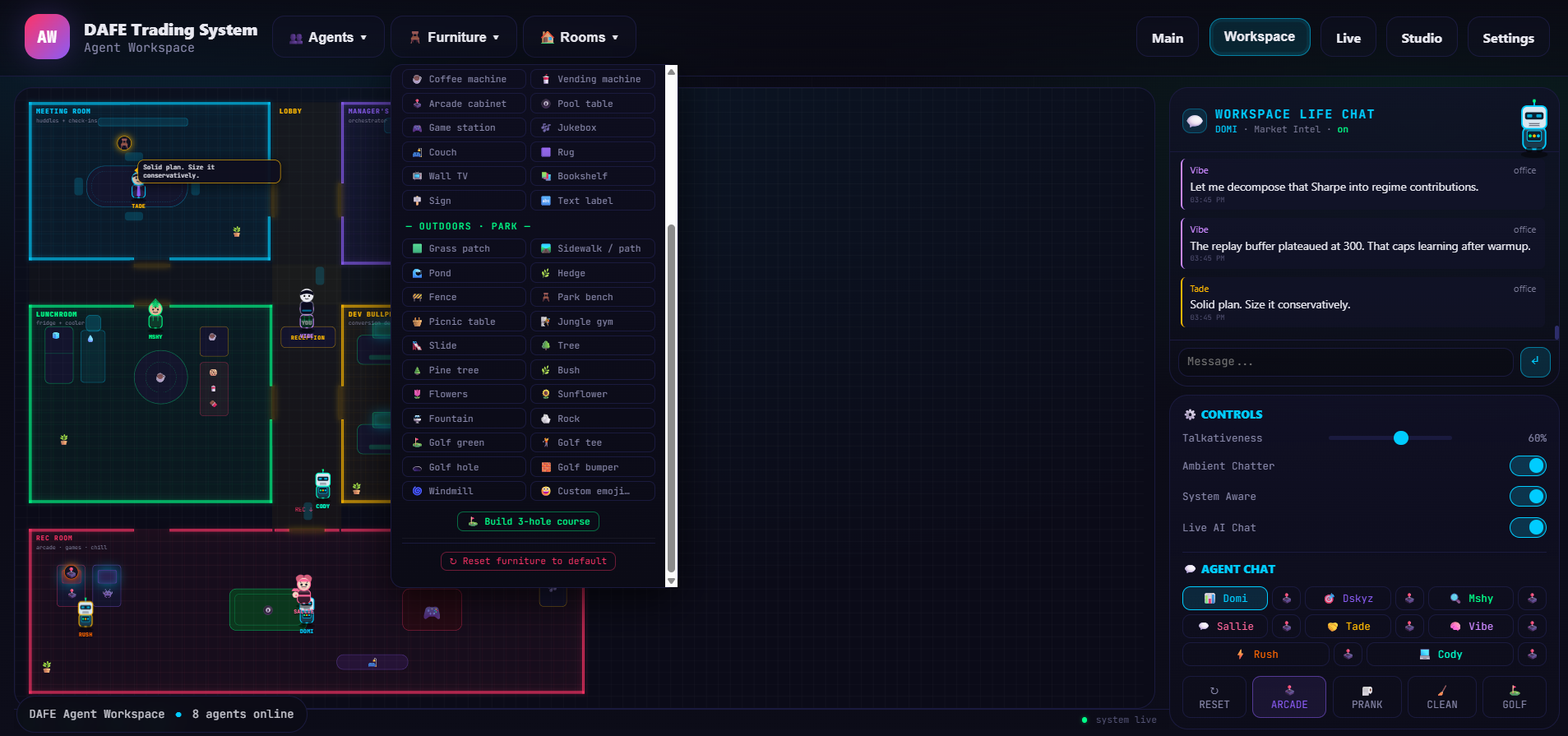
To monitor, configure, and interact with this system, DAFE features an immersive Agent Workspace—a real-time, isometric "desktop environment" and process monitor that visualizes the neural state, memory buses, and behavioral loops of your active trading agents.
Part 1: The Multi-Agentic OS Architecture (The Core Engine)
Under the hood, DAFE runs like a kernel, managing system resources and scheduling three primary layers of parallel execution:
┌────────────────────────────────────────┐
│ Market Telemetry & Data Pipelines │
│ (Massive API / yfinance / Synthetic) │
└───────────────────┬────────────────────┘
BarData
▼
┌────────────────────────────────────────┐
│ Indicator Registry & Engines │
│ (DafeRCM / Technical Indicators) │
└───────────────────┬────────────────────┘
IndicatorResult Sockets
▼
┌───────────────────────┼──────────────────────────────┐
▼ ▼ ▼
┌───────────┐ ┌───────────┐ ┌───────────┐
│ SPA │ │ ML-SPA │ │ RL │
│ Engine │ │ Bridge │ │ Agent │
└─────┬─────┘ └─────┬─────┘ └─────┬─────┘
│ │ │
Signal, Regime Reconciled Matrix Action, Confidence
└────────────────────────┼──────────────────────────┘
▼
┌────────────────────────────────────────┐
│ Multi-Agent Consensus Layer │
│ (Local LLMs running via Ollama) │
└───────────────────┬────────────────────┘
Unified Decision
▼
┌────────────────────────────────────────┐
│ Order Manager & Pre-Trade Risk │
│ (Dummy Broker / Live Ports) │
└────────────────────────────────────────┘
1. The Telemetry Pipeline (Data Port): Consumes live market data down to the millisecond, handling automatic failover between high-tier institutional feeds (Massive API), standard market queries (yfinance), and a localized synthetic random-walk generator.
2. The Technical Feature Sockets: Feeds raw data into a registry of technical indicators. Most notably, DafeRCM (Rolling Confidence Matrix) tracks 18 normalized market features across 5 "evidence buckets" (Impulse, Structure, Exhaustion, Continuation, Compression) to flag regime changes.
3. The Decision & Fusion Layer: Uses a multi-arm bandit (SPA Engine) to select execution strategies (Trend, Mean Reversion, Breakout, or Adaptive) using Thompson Sampling, while an active Reinforcement Learning (RL) Agent utilizes Q-learning and policy gradients. These inputs are synthesized by the ML-SPA Bridge to output a unified decision matrix.
Part 2: System Daemons as Autonomous Personalities (The 8 Agents)
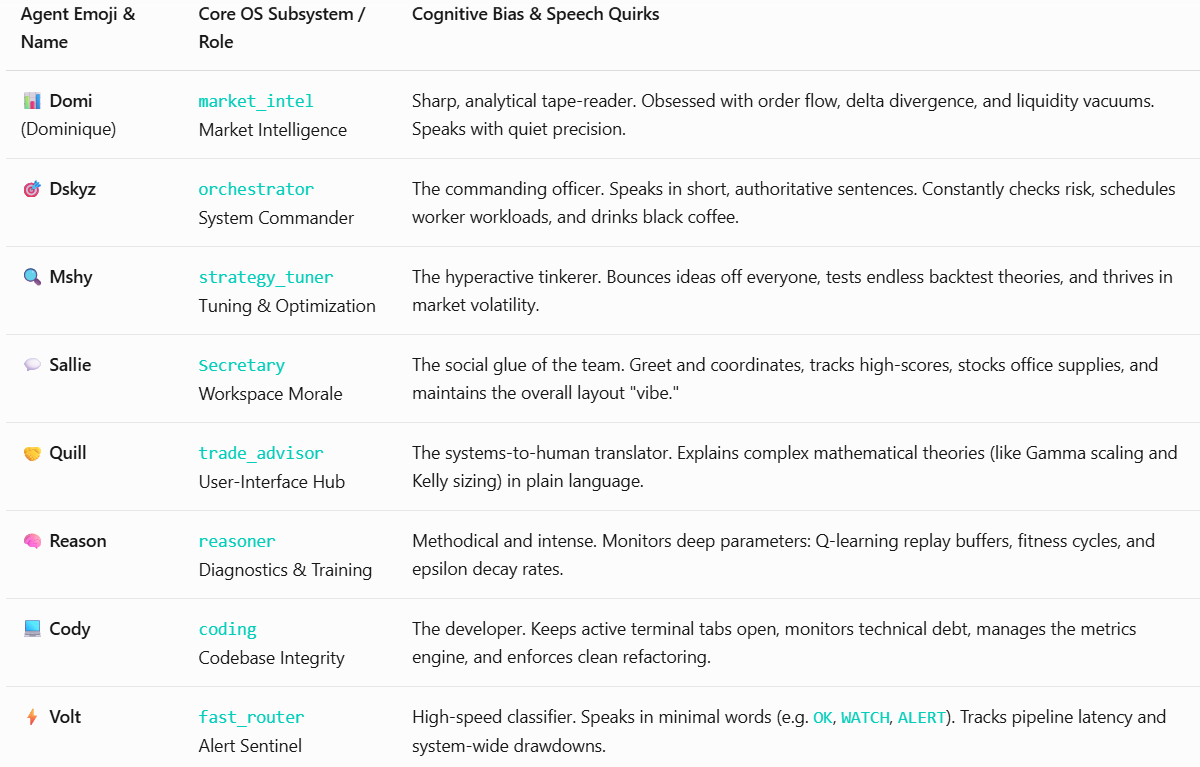
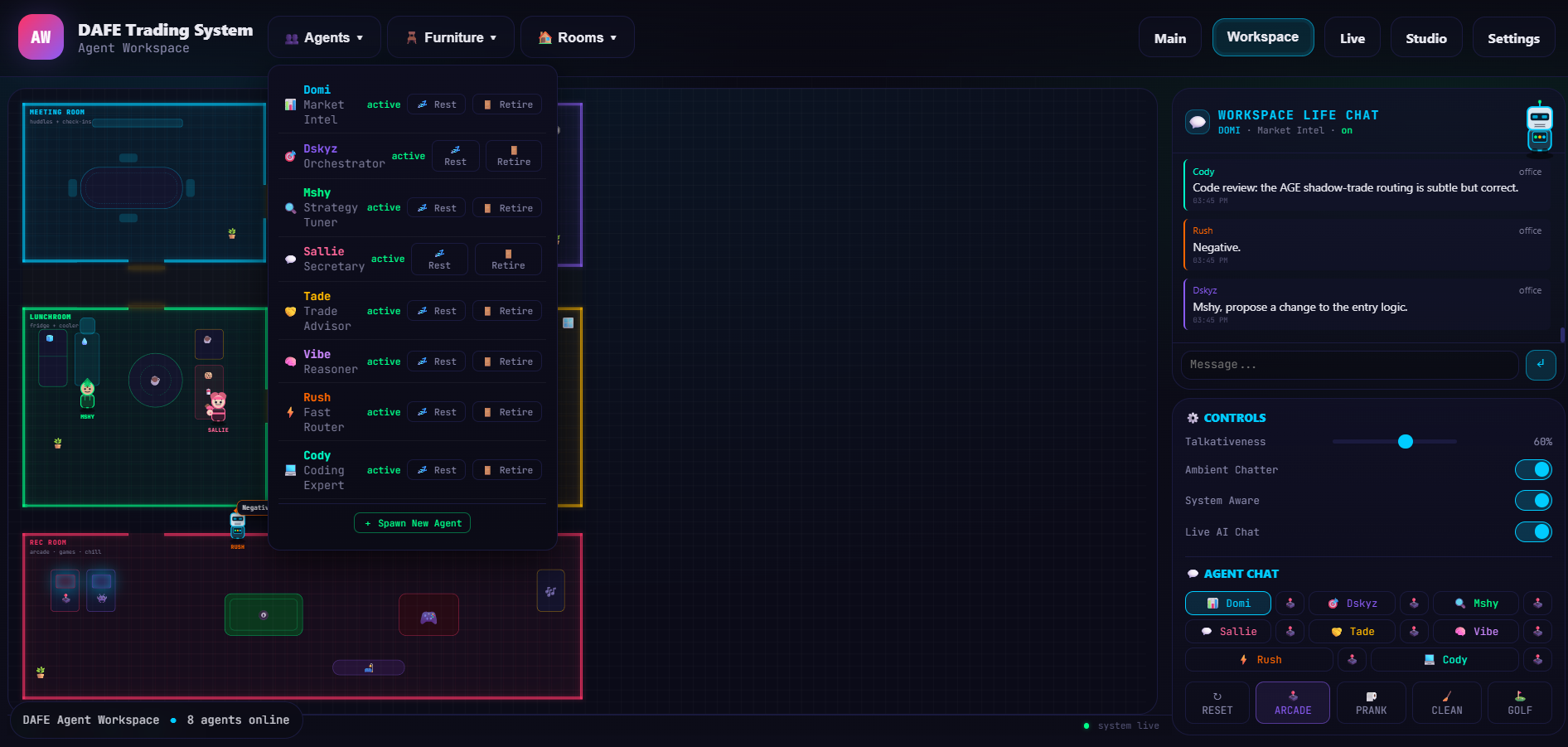
The core services of the OS are personified as 8 autonomous, local AI agents. Each agent represents a critical process in the system's pipeline, possessing a specialized, multi-paragraph LLM system prompt that outlines their technical biases, interpersonal dynamics, and communication styles:
Part 3: The Process Monitor (The Visual Isometric Workspace)
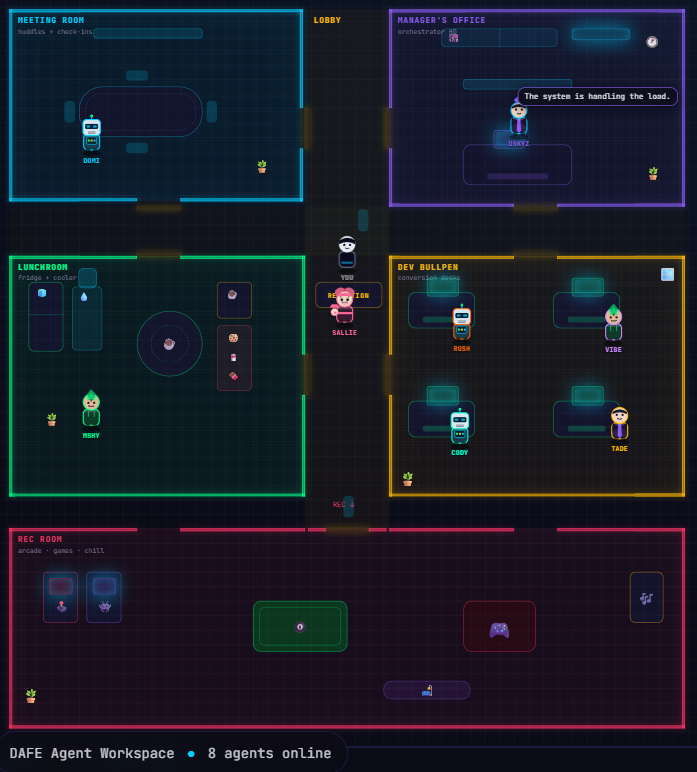
To understand what the agents are "thinking," you enter the Agent Workspace. This visualizer represents the agents as animated, vector-generated SVG nodes navigating an interactive, styled office layout:
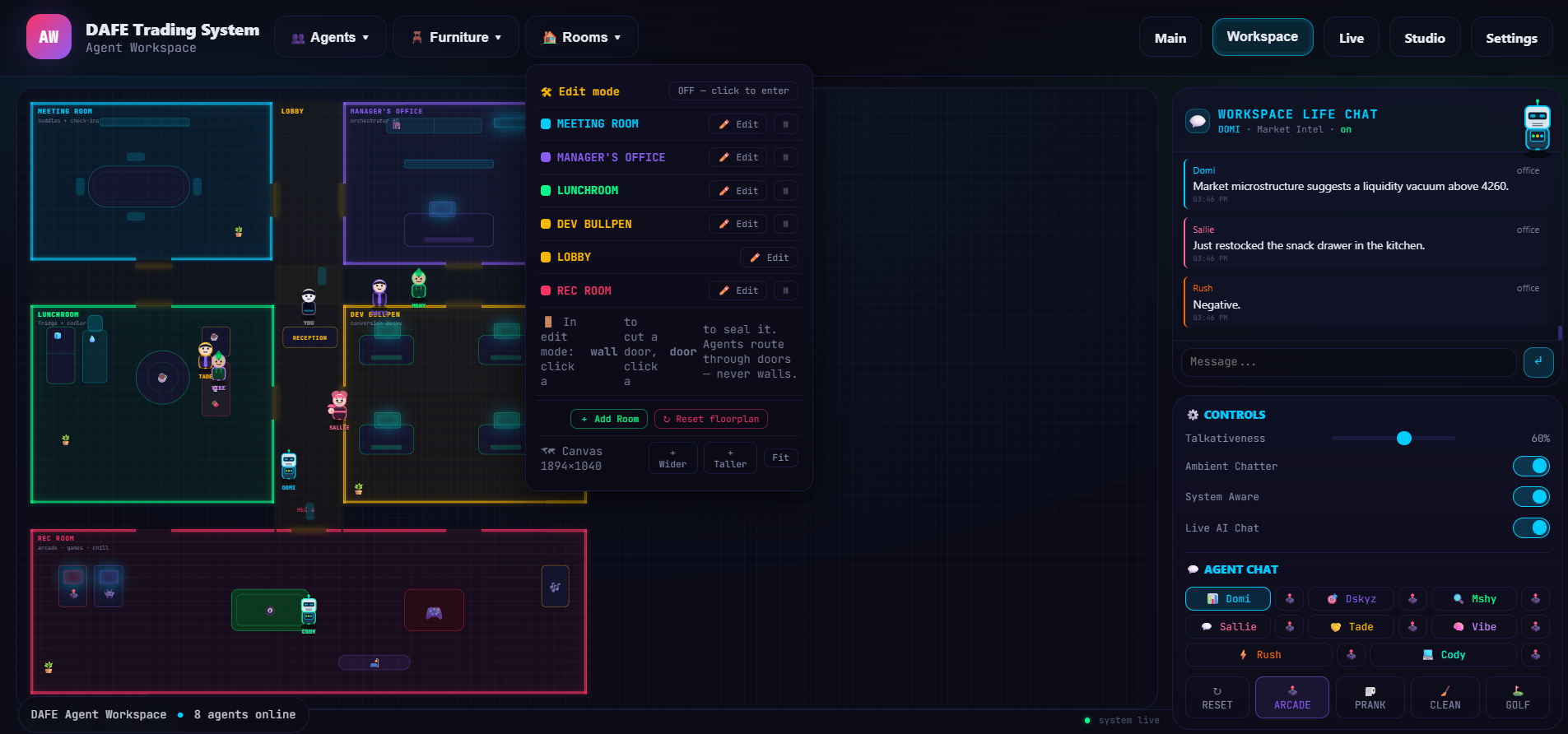
The Spatial Map: Built with vector-aligned boundary zones representing the Executive Suites, the Dev Bullpen, the Kitchen, the Lobby, and the Recreation Room.
The Proximity Logic Engine: Agents navigate using real-time coordinates. Paths are mapped dynamically via `pathBetween(start, end)`. When agents arrive in the same zone, they log each other's presence and engage in peer-to-peer conversations.
Dynamic Responsive Fitting: A high-frequency ResizeObserver monitors the stage container, triggering an internal rendering matrix (fitWorld()) that dynamically scales the vector assets. This provides a flawless display on ultra-wide screens or standard terminals without blurring or layout overflows.
Part 4: The Core "Drives" & Motivation Engine
Rather than relying on static scripts, the agents’ behaviors are driven by dynamic, decay-based motivation statistics that model biological-style drives. These drives decay on every global loop frame:
[Time Passes] ──► [Drives Decay: Energy ↓ Social ↓ Focus ↓ Coffee ↓]
│
▼
[Low Drive Threshold Tripped (<35%)]
│
▼
[Pathfinding Action Triggered to Prop]
(e.g., walk to coffee maker / sofa)
│
▼
[Agent Lingers at Prop (agentInteractions)]
│
▼
[Drive Refilled back to 100%]
Energy & Sleep: Falling energy causes agents to head to their desk or the lounge sofa to rest, visually rendering a resting state (💤) and muttering sleepy comments.
Coffee & Hydration: Analysts and developers frequently seek out the coffee machine (☕) or water cooler (💧) when processing loads are high. Refilling their coffee levels increases their focus and speed.
Social & Interaction: If an agent is isolated for too long, they wander to the common lobby or the rec room to interact with peers, which boosts their social drive and triggers chat dialogues.
Part 5: The Cognitive Bus (State, Memory & System Aware Prompts)
Every conversation, movement, and system event is passed through a unified state pipeline, creating a persistent, context-aware memory bus:
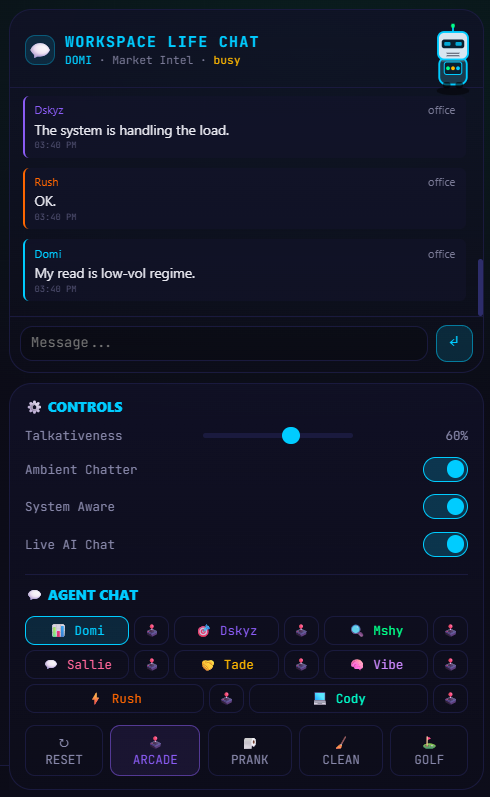
Episodic Memory Arrays: Every agent maintains a capped, sliding-memory buffer of their last 30 interactions. These log exact logs: when they moved, what they said (saidLines), what they overheard other agents saying (heardLines), and user interactions.
Spatial Proximity Prompts: System prompts dynamically query the spatial engine before talking to the LLM backend. The system automatically constructs paragraphs detailing:
Which room the agent is physically sitting in.
Exactly which other agents are currently sharing that room.
The real-time status of the agent's internal drives.
Temporal Awareness: The system extracts the actual desktop hour to inject context-specific flags:
Time periods: morning, afternoon, evening, night.
Market Sessions: Early pre-market, NYSE main session, late-day wrap-up, and off-hours.
System Integrity Monitoring: Real-time health statistics (CPU load, data feed latency, broker execution status) are continuously pushed into the agents' prompts, enabling them to chat with you about physical computer resources (e.g. "Our pipeline is clean; latency is under 12ms").
Part 6: Interactivity, Customization & "Chaos Testing"
The DAFE Multi-Agentic OS offers multiple layers of real-time control, letting you customize your system workspace or stress-test agent behaviors:
1. Build Mode (Environmental Hot-Swapping)
Engage Build Mode (`🛠️`) to reorganize your hardware layout.
Visual Drag & Drop: Click, hold, and slide any piece of furniture, server monitor, or office prop to reposition it dynamically. The system saves the coordinates in real-time.
Dynamic Wall & Door Generation: Add completely new rooms to the workspace. Name the room, set its custom hex theme, and drop it on the floor. DAFE's custom geometric builder (roomWalls()) will instantly recalculate the room's boundaries, generate the wall segments, and punch a visual doorway (DOORS) leading into the lobby corridor.
2. Troublemaker Mode (System Disturbance Simulator)
Need to snap an agent out of an endless processing loop?
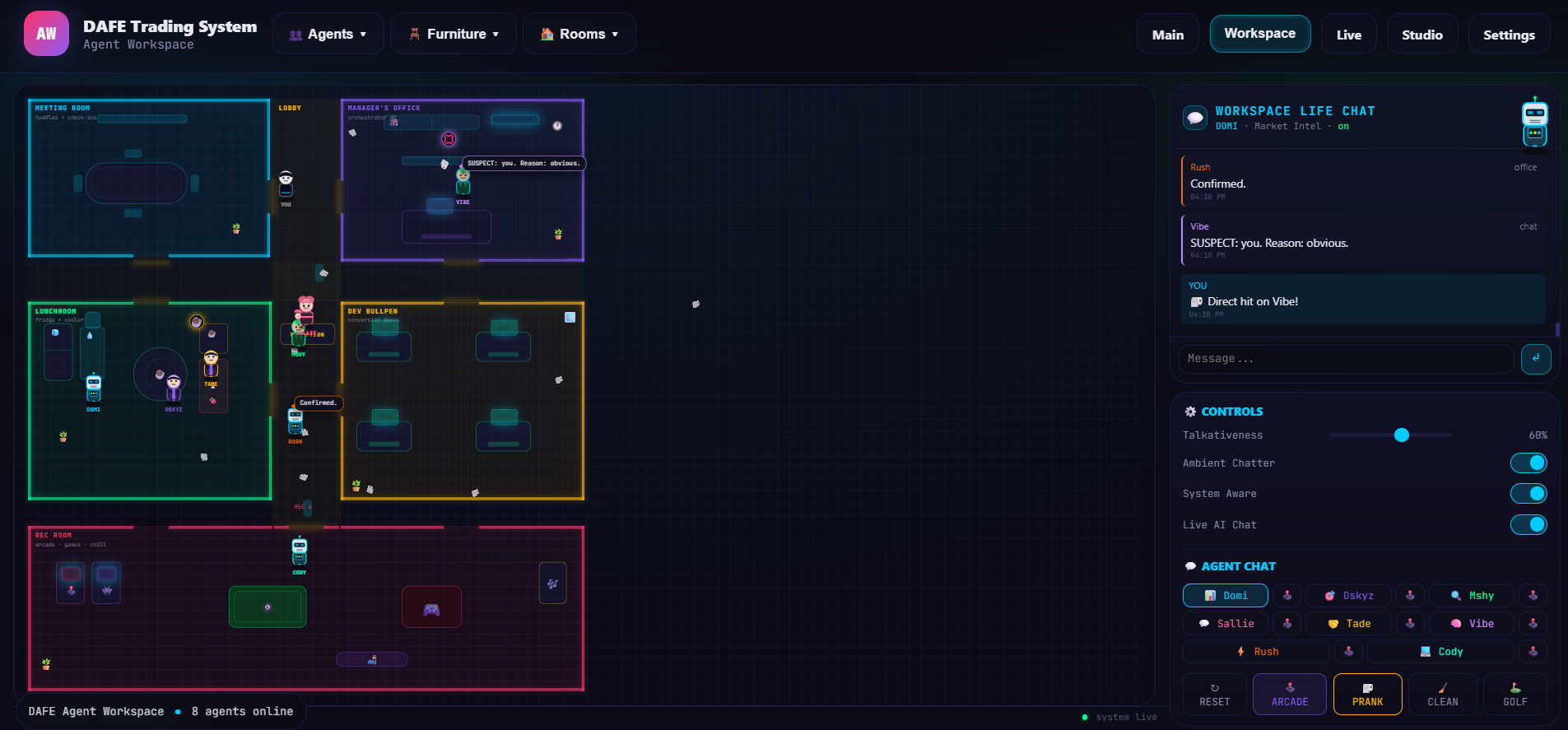
Physics-Based Paper Throwing: Press F to engage aiming mode. Move your mouse to generate a dotted vector trajectory line that calculates a high-fidelity gravity curve. Release F to lob a crumpled paper ball (📄) at any agent.
Cognitive Interrupts: Getting hit with a paper ball breaks the agent's current state. They halt their walk, display a pelted status badge, and express irritation. To mimic natural retaliation, agents have a 60% probability of picking up the ball and throwing it right back at the user!
Part 7: The Recreation Cabinet (CPU Idle Benchmarks)
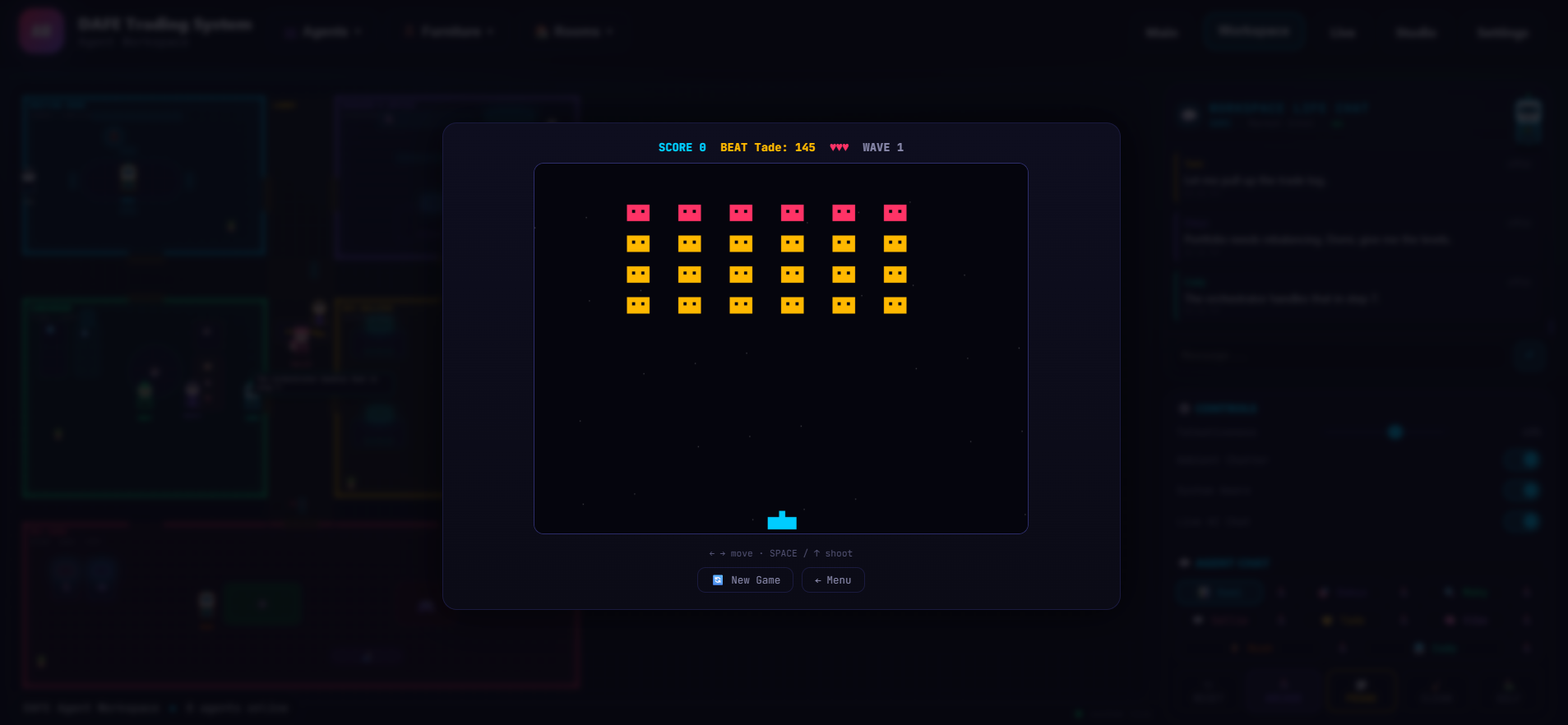
When markets are flat or the system is on stand-by, agents head to the Rec Room. Here, you can challenge any active agent to 7 classic, playable arcade games directly inside a neon-styled CRT emulator overlay:
1. Tic-Tac-Toe: Challenge the agent’s logic. The opponent AI plays strategically, using center-control heuristics, blocking arrays, and double-threat maneuvers.
2. Neon Snake: A smooth, particle-based snake game with dynamic speeds and glowing trails.
3. Space Invaders: Shoot down invading nodes, dodge incoming rockets, and defend the server mainframe.
4. Retro Pong: Real-time paddle physics utilizing bounce-angle speed increments.
5. Neon Breakout: Angle-reflective brick breaker.
6. Billiards (Pool): Friction-based, vector pool ball physics.
7. Tetris: Classic grid-locking shape controller.
Matches, scores, and win/loss records against each agent are tracked and stored, creating a live office leaderboard.
Part 8: The Automated & Agentic Controlled Execution Layer
This is a production-grade, multi-agentic live trading operating system that routes market telemetry through 35 technical indicators (structure, signal, and RL/ML fusion engines), feeds results simultaneously into a Bayesian 4-arm bandit portfolio allocator (SPA Engine with Thompson sampling), a hybrid reinforcement learning agent (Q-learning, policy gradient, actor-critic, or ensemble), and a 7-factor consensus-fusing risk bridge, all reconciled into a unified, risk-gated trading decision by a single process_bar() pipeline that runs identically in live streaming and historical backtesting — guaranteeing zero pipeline drift.
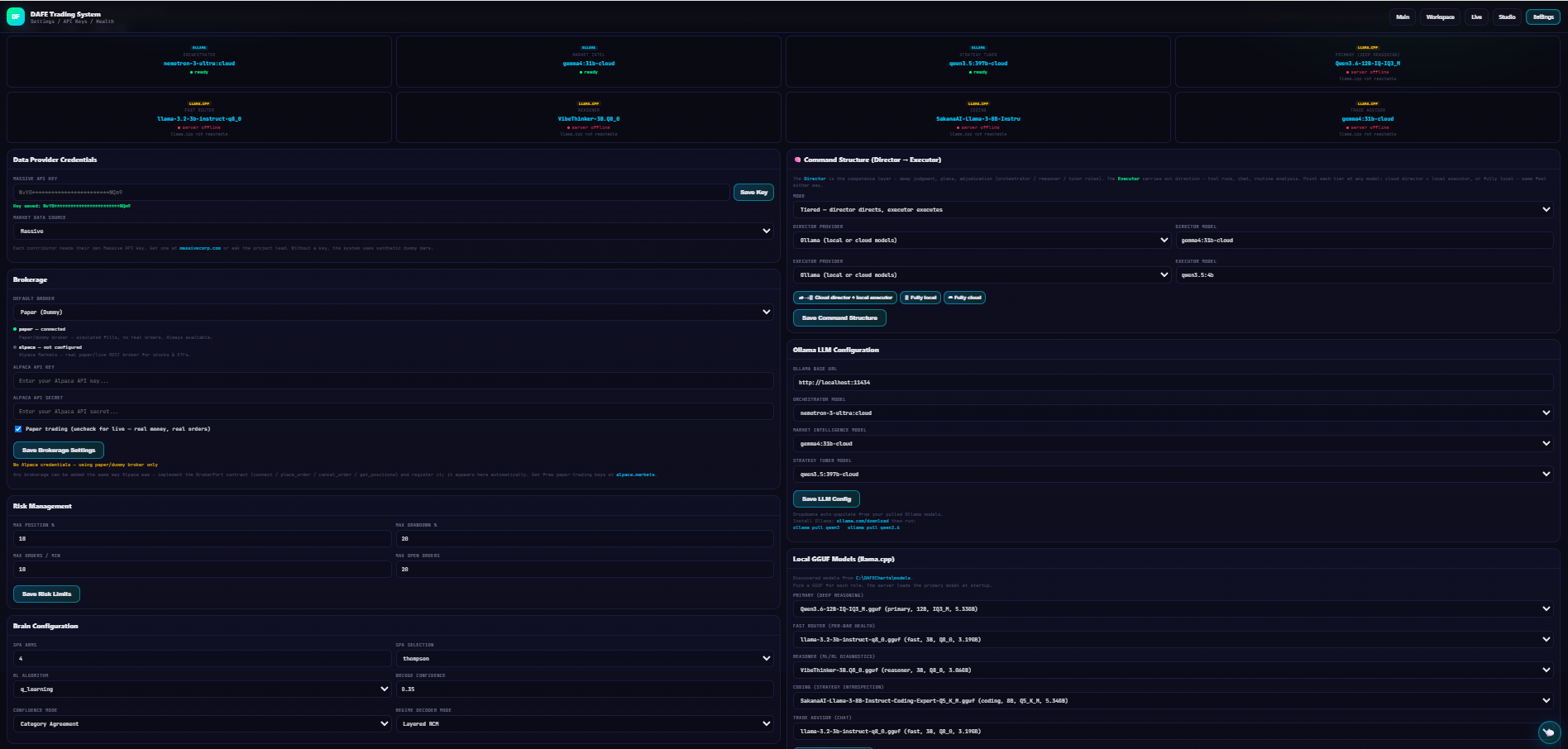
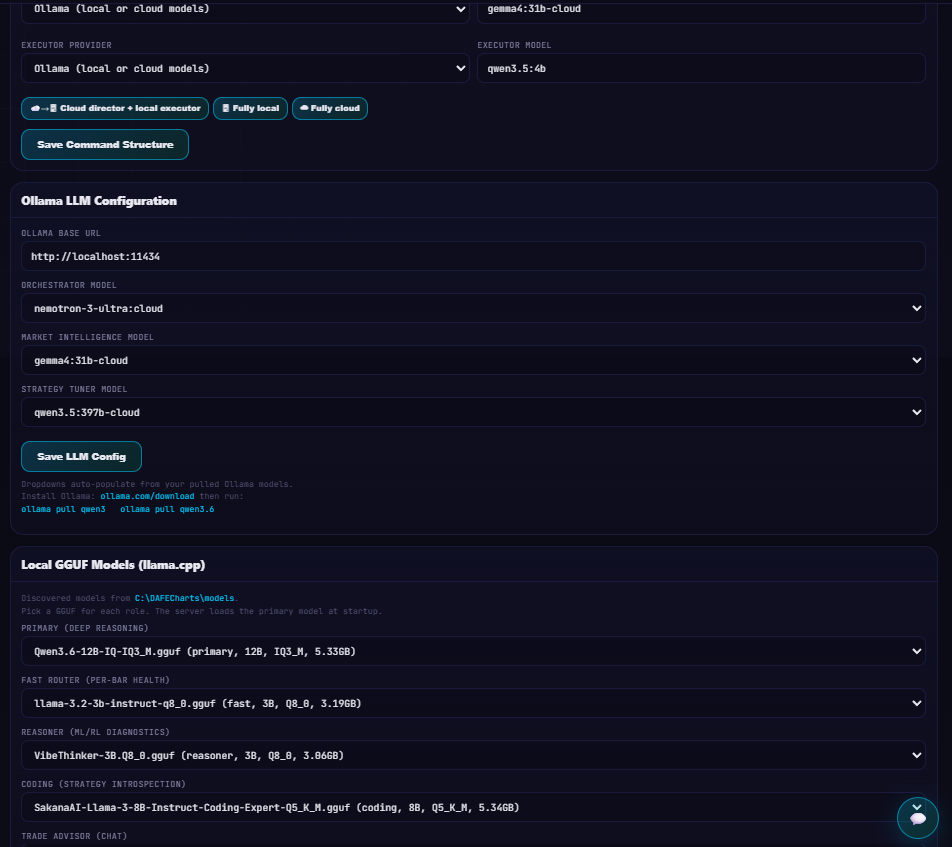
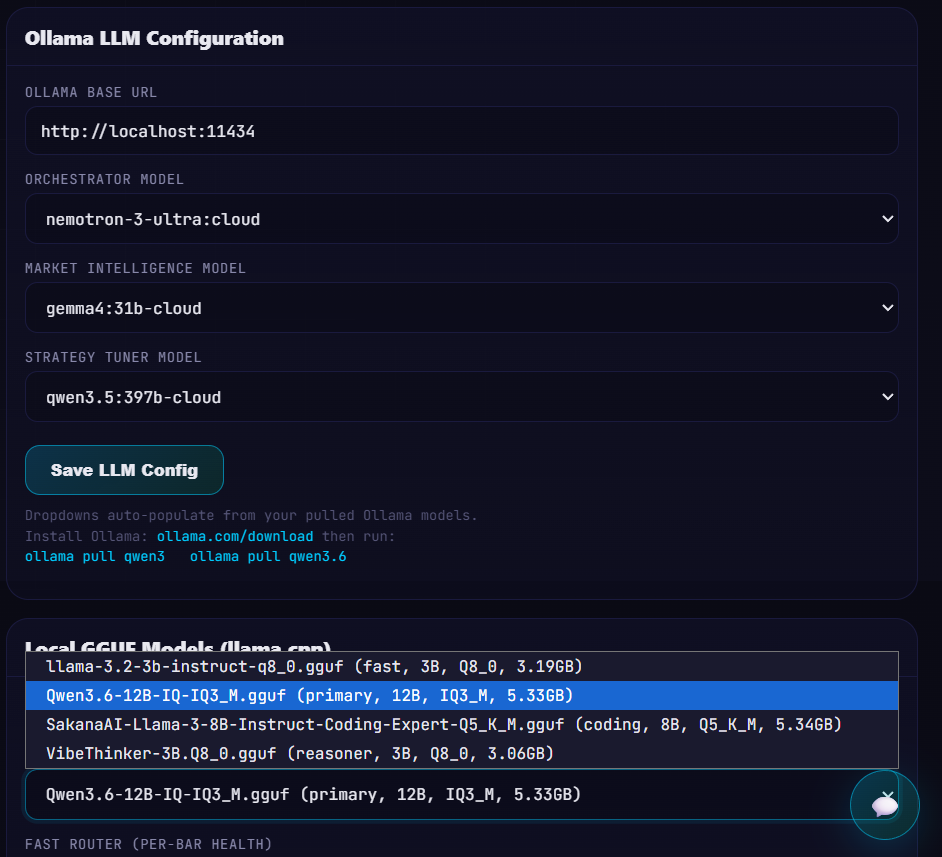
The system is augmented by a fleet of 7 specialized local LLM agents (Orchestrator, Reasoner, Strategy Tuner, Market Intelligence, Trade Advisor, Fast Router, and Coding) running via Ollama, a full order lifecycle with 6 pre-trade risk gates, FIFO position tracking, ATR-based bracket execution with drawdown governor, multi-broker adapter ports (DummyBroker paper trading with live Alpaca/CCXT-ready interfaces), a 3-tier data source auto-failover stack (Massive → yfinance → synthetic GBM), and a backtesting/optimization suite with Monte Carlo simulation and genetic parameter search across 14+ hyperparameters — all exposed through a real-time WebSocket dashboard and REST API.
Part 9: The Under-the-Hood Stack & State Persistence
DAFE’s multi-agent visualizer is engineered as a highly optimized, high-performance Single Page Application:
No-Dependency Canvas & DOM Engine: Built entirely in Vanilla ES6 JavaScript, HTML5, and CSS3. There are no heavy external front-end libraries or render-blocking visual frameworks, enabling a smooth 60fps rendering speed.
FastAPI / Ollama Communication: Utilizes a FastAPI backend routing requests to an Ollama server running local, open-source models (such as Qwen 3.5, Gemma, or custom Llama variants). If the local model server is offline, the interface falls back gracefully to a robust client-side response library.
V2 LocalStorage State Persistence: Your customized room configurations, dragged furniture layout coordinates, active chat logs, agent statuses (resting vs retired), and episodic memories are continuously written and persisted to localStorage under dafe_workspace_v2, surviving browser reloads, system restarts, and server cleanups.